
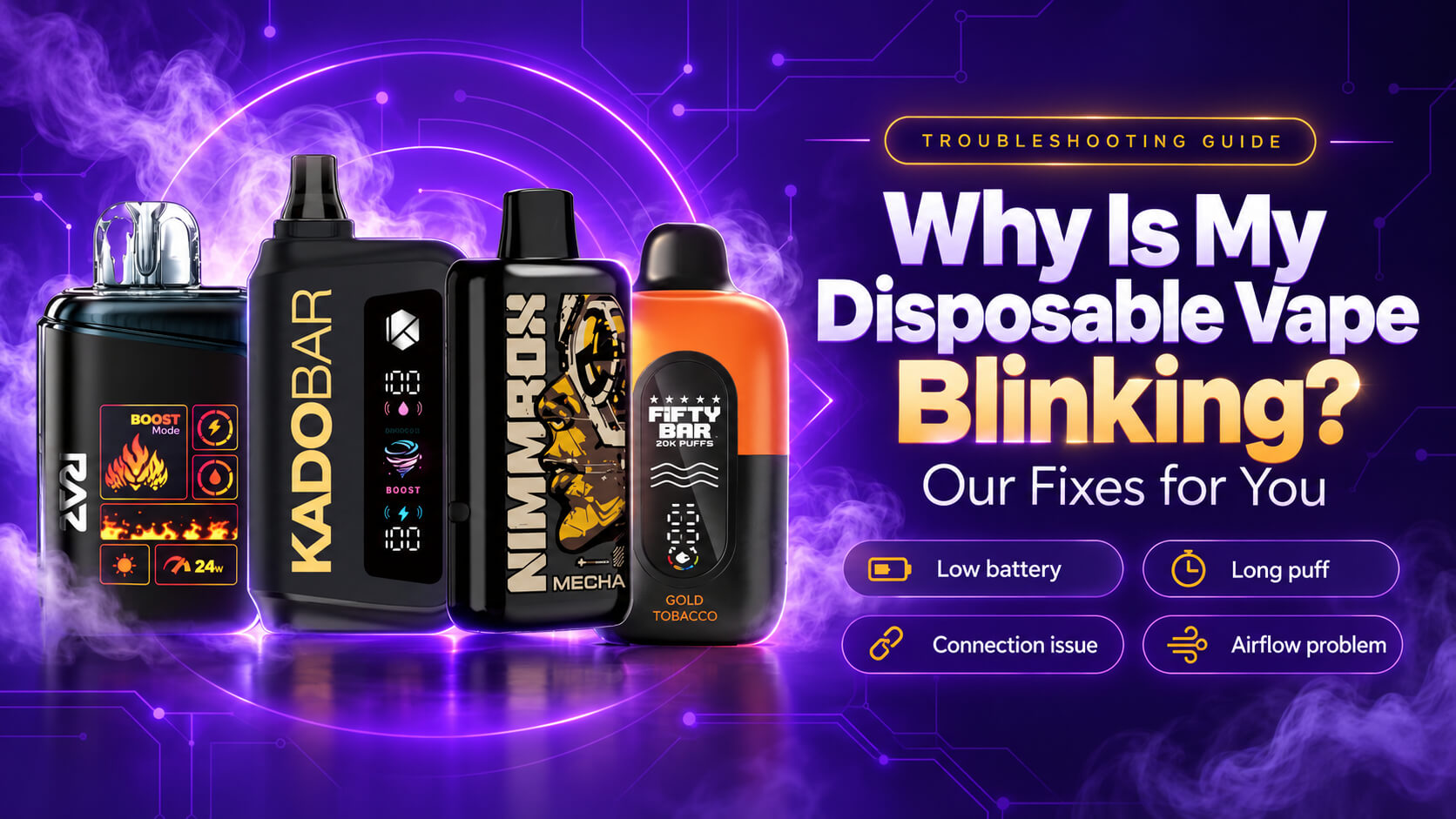
You take a puff, the light starts flashing, and your session stops. If you are asking, “Why is my disposable vape blinking?” you can usually find the cause and fix it in a few minutes. This guide shows you what each blink pattern means, which fix to try first, and when your device is simply finished. If you need a replacement, our tobacco vape collection has devices from 2,500-puff basics to 50,000-puff powerhouses.
Most of the blinking you see comes from a short list of causes, including a drained battery, a puff that ran too long, a stuck airflow sensor, or a connection fault. Below, you will match your blink count to its likely cause, follow our step-by-step fixes, and learn how to keep your next disposable vape from blinking early.
Why Is My Disposable Vape Blinking?
Your Quick Answer
Your disposable vape is blinking because it is signaling a problem, most often a drained battery. Other causes you may see include a puff-time cutoff from a long draw, a blocked or stuck airflow sensor, a connection fault, or a dry coil. Match your blink pattern to the table below to find your fix.
If you are not sure where to start, charge your device if it has a port, take shorter puffs, clear the air intake, tap it gently, and rest it for 10 to 15 minutes. If it still blinks, your battery is spent, and you should replace it.
Explore Our Categories
What Are the Most Common Causes of a Blinking Disposable Vape?
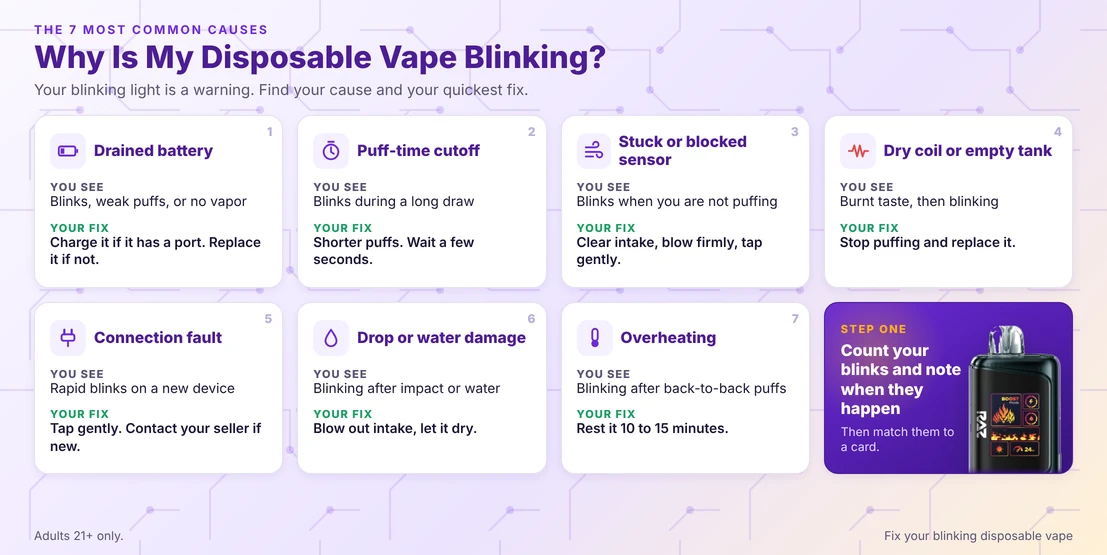
Your blinking light usually traces back to one of seven causes: a drained battery, a puff-time cutoff, a stuck or blocked airflow sensor, a dry coil, a connection fault, drop or water damage, or overheating. Find your cause in the table below, and use the fix beside it.
If you are wondering why my disposable vape light is blinking, start with the table. It lists the seven causes you will run into most, what you see with each one, and your quickest fix.
| Your Cause | What You See | Your Quick Fix |
|---|---|---|
| Drained battery | Blinks, weak puffs, or no vapor before it stopped working. | Charge your device if it has a port. Replace it if it does not. |
| Puff-time cutoff | Blinks during a long draw, then works again after a pause. | Keep each puff short and wait a few seconds before your next one. |
| Stuck or blocked airflow sensor | Blinks when you are not puffing, or blinks with no vapor. | Clear your air intake, blow through it firmly, and tap your device gently. |
| Dry coil or empty tank | A burnt taste first, then blinking. | Stop puffing and replace your device. |
| Connection fault or short circuit | Rapid blinks on a new device or after you dropped it. | Tap it gently, and contact your seller if it is brand new. |
| Drop or water damage | Blinking right after an impact or exposure to water. | Blow out your air intake and let it dry. Replace it if it stays dead. |
| Overheating | Blinking after back-to-back puffs. | Set your device down for 10 to 15 minutes before you try again. |
Why Is the Light on My Disposable Vape Blinking?
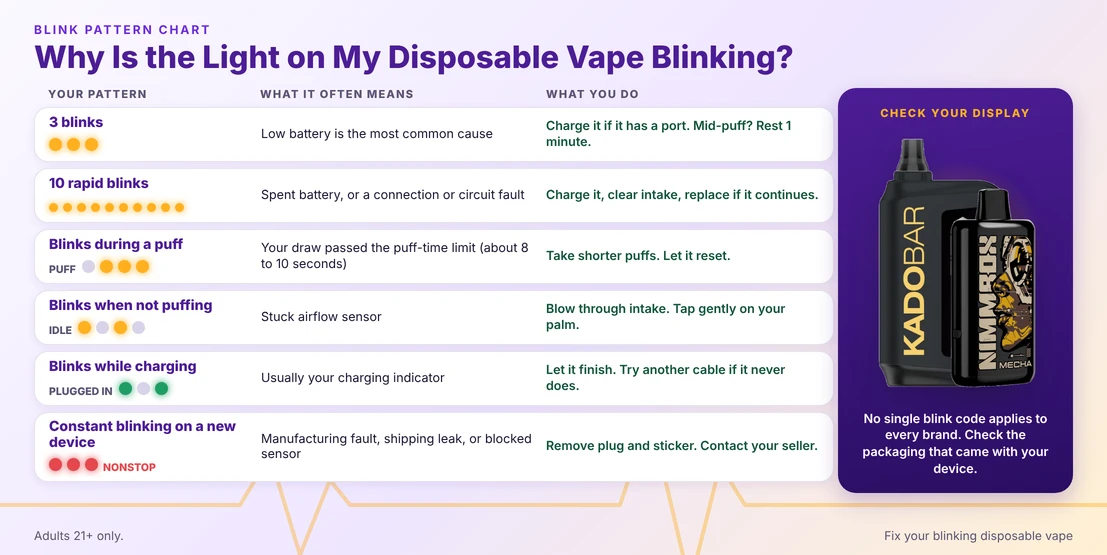
The light on your disposable vape blinks to tell you what your device is doing. Three blinks often point to a low battery, ten rapid blinks often point to a battery or connection fault, and blinks during a puff usually mean your draw ran too long. Patterns vary by brand, so check your packaging.
No single blink code applies to every brand, so use this table as a starting point, then confirm it against the instructions that came with your device.
| Your Blink Pattern | What It Often Means | What You Do |
|---|---|---|
| 3 blinks | A low battery is the most common cause. Some devices also use three blinks when your puff runs too long. | Charge your device if it has a port. If it blinks mid-puff, rest it for a minute and take a shorter puff. |
| 10 rapid blinks | A spent battery or a connection or circuit fault. | Charge it if you can, clear your air intake, and replace your device if the blinking continues. |
| Blinks during a puff | Your draw passed the device's puff-time limit, which many models set at about 8 to 10 seconds. | Take shorter puffs and give your device a few seconds to reset. |
| Blinks when you are not puffing | A stuck airflow sensor. | Blow through your air intake and tap your device gently against your palm. |
| Blinks while charging | Usually your charging indicator. | Let it finish. If it never finishes, try another USB-C cable and your computer's USB port. |
| Constant blinking on a new device | A manufacturing fault, a shipping leak, or a blocked sensor. | Remove any mouthpiece plug and air-hole sticker, then contact your seller if it keeps blinking. |
Our tobacco devices make this easier because several of them include a display. The Tobacco RAZ LTX DC25000 has a wattage display that shows your regular or boost mode, the Gold Tobacco Kado Bar Rizz 25000 has an HD large screen, and the Tobacco American Standard This Bar 50K has a smart display that shows your battery and mode, so you can check your device before a blink ever surprises you.
How Do You Fix a Blinking Disposable Vape?
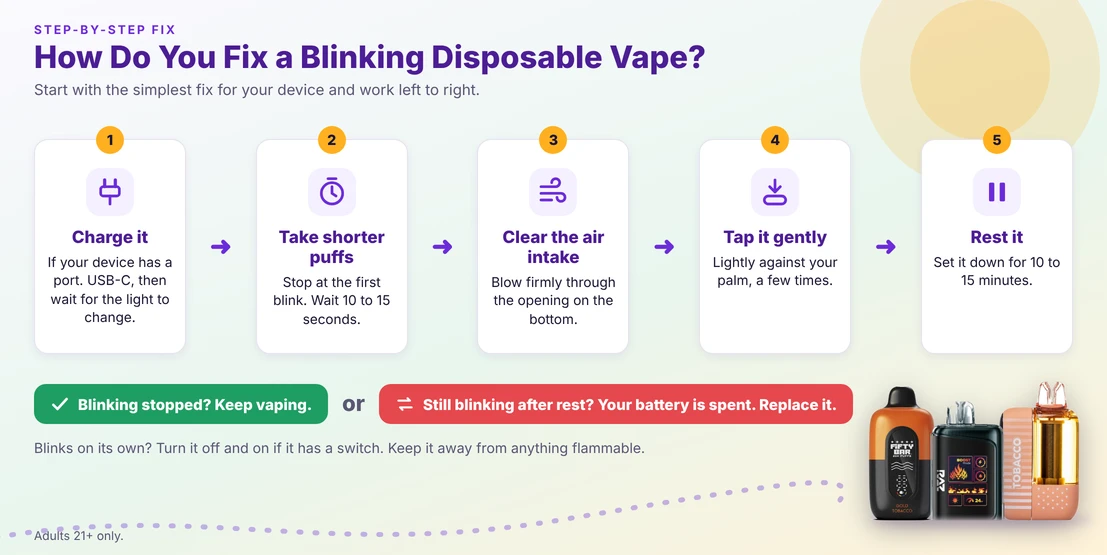
Start with the simplest fix for your device. Charge your device if it has a port, take shorter puffs, clear the air intake, and gently tap it to free a stuck sensor. Then rest your device for 10 to 15 minutes. If it still blinks, your battery is spent, and you should replace it.
How Do You Fix a Blinking Disposable Vape With a Dead Battery?
Charge it if your device has a charging port, and replace it if it does not. Follow these steps for your rechargeable device:
- Plug your device into a USB-C cable and a computer USB port or a standard wall adapter.
- Wait for your light to turn off or change color, which many models use to show a full charge.
- Stay nearby while your device charges, and unplug it if it gets hot.
- Try a different cable if your device never finishes charging.
If your device has no port, it is not built to be recharged. Do not open it or try to power it another way, because your battery sits sealed inside for a reason. If you would rather charge than replace, browse a rechargeable disposable vape.
How Do You Fix a Disposable Vape That Blinks During a Puff?
Take a shorter puff and give your device a few seconds to reset. A puff-time limiter cuts power when your draw runs too long, and it usually clears on its own.
- Stop puffing as soon as your light starts to blink.
- Wait 10 to 15 seconds, or rest your device longer if you have been puffing back to back.
- Take your next puff slowly and keep it short.
How Do You Fix a Disposable Vape That Blinks on Its Own?
Clear your air intake and tap your device gently, because a stuck airflow sensor is the usual cause. Work through these steps in order:
- Blow firmly through your air intake opening, which sits on the bottom of most devices.
- Tap your device lightly against your palm a few times.
- Turn your device off and on again if it has a power switch or button.
- If your device keeps blinking, set it somewhere away from anything flammable and let your battery run down. Then recycle it.
How Do You Fix a Blinking Disposable Vape After a Drop or Water Exposure?
Tap it gently against your hand, then dry it out. If your device stays dead, replace it. A hard drop can shift parts inside your device, and water can short your circuit.
- Tap your device lightly in the direction opposite to the impact.
- If water got in, blow firmly through your air intake to clear it.
- Keep your device in a dry place for a couple of days before you try it again.
- Replace your device if the blinking returns.
How Do You Fix a Brand-New Disposable Vape That Blinks?
Remove any plug or sticker, puff more firmly, and contact your seller if it keeps blinking. Check these before you assume your device is faulty:
- Pull the silicone plug out of your mouthpiece.
- Peel the sticker off your air hole.
- Check your airflow switch, because some models shut off when the vents are fully closed.
- Take a firmer puff to trigger your airflow sensor.
- Keep your packaging and receipt, and contact your seller if it still blinks.
Why Is My Ghost Disposable Vape Blinking?
Your Ghost disposable vape most often blinks for the same reasons as other brands: a low battery, a puff-time cutoff, an airflow sensor fault, or a connection problem. We cannot confirm a single universal Ghost blink code, so check your packaging for your model and try the fixes above.
Your best first move is to count your blinks and note when they happen, whether during a puff, at rest, or while charging. That one detail tells you which row in our tables matches your device, and it gives your seller what they need if you have to ask for help.
How Can You Stop Your Disposable Vape From Blinking Early?
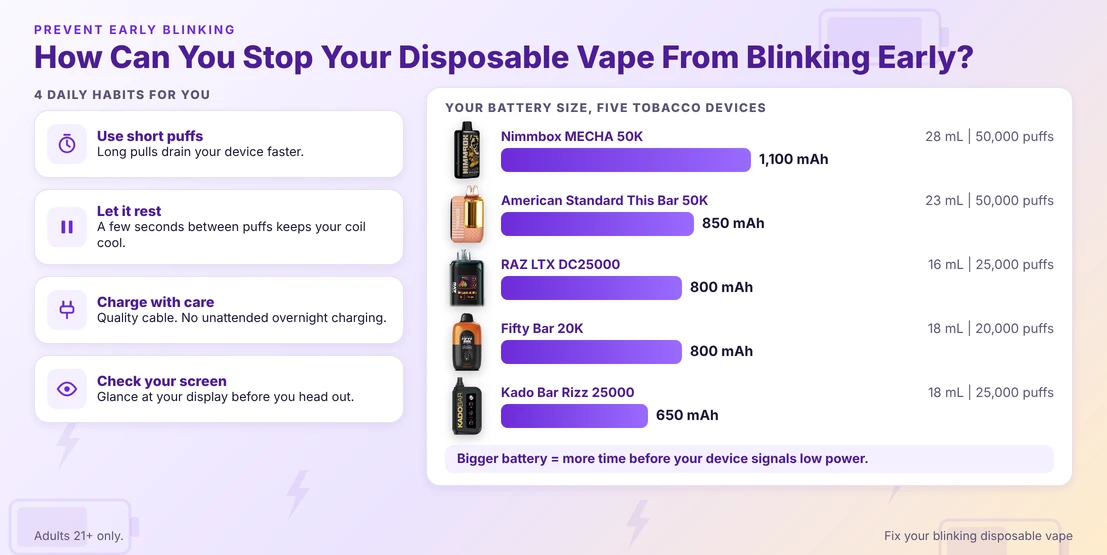
Take shorter puffs, pause between draws, and keep your device at room temperature. Choose a device with a larger battery, since a bigger battery gives you more time before it signals low power. Charge a rechargeable model before the light starts blinking, and store it upright so your airflow sensor stays dry.
Battery size is the easiest spec for you to compare before you buy. Here is how five devices in our tobacco collection stack up, using the numbers printed on each product page.
| Your Device | Your Battery | Your Tank and Puffs |
|---|---|---|
| Tobacco Nimmbox MECHA 50K | 1,100 mAh built-in rechargeable | 28 mL tank, up to 50,000 puffs |
| Tobacco American Standard This Bar 50K | 850 mAh, USB Type-C (cable not included) | 23 mL tank, up to 50,000 puffs in Eco mode |
| Tobacco RAZ LTX DC25000 | 800 mAh, USB-C | 16 mL tank, up to 25,000 puffs |
| Gold Tobacco Fifty Bar 20K | 800 mAh, USB-C, anti-burn technology | 18 mL tank, up to 20,000 puffs |
| Gold Tobacco Kado Bar Rizz 25000 | 650 mAh, USB Type-C | 18 mL tank, up to 25,000 puffs |
A few daily habits help you more than any spec. Keep these in mind with your next device:
- Use short puffs. Your puff counts are based on short draws, so long pulls drain your device faster.
- Let it rest. A few seconds between puffs keeps your coil cool and your wick wet.
- Charge with care. Use a quality cable, skip unattended overnight charging, and avoid leaving your device in a hot car.
- Check your screen. If your device has a display, glance at it before you head out, so your battery does not catch you off guard.
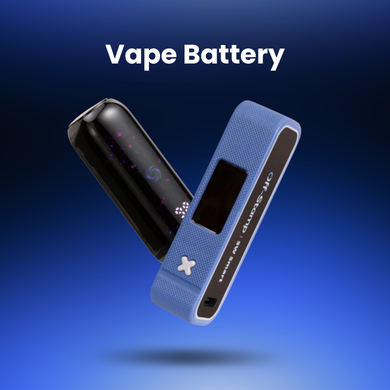
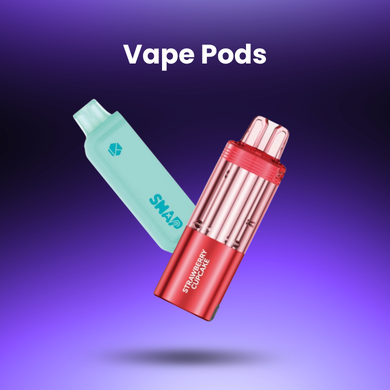
Using a pod system or a refillable device instead? Keep a spare vape battery and fresh vape pods nearby, so a low charge or a worn pod never stops your session.
When Should You Replace Your Blinking Disposable Vape?
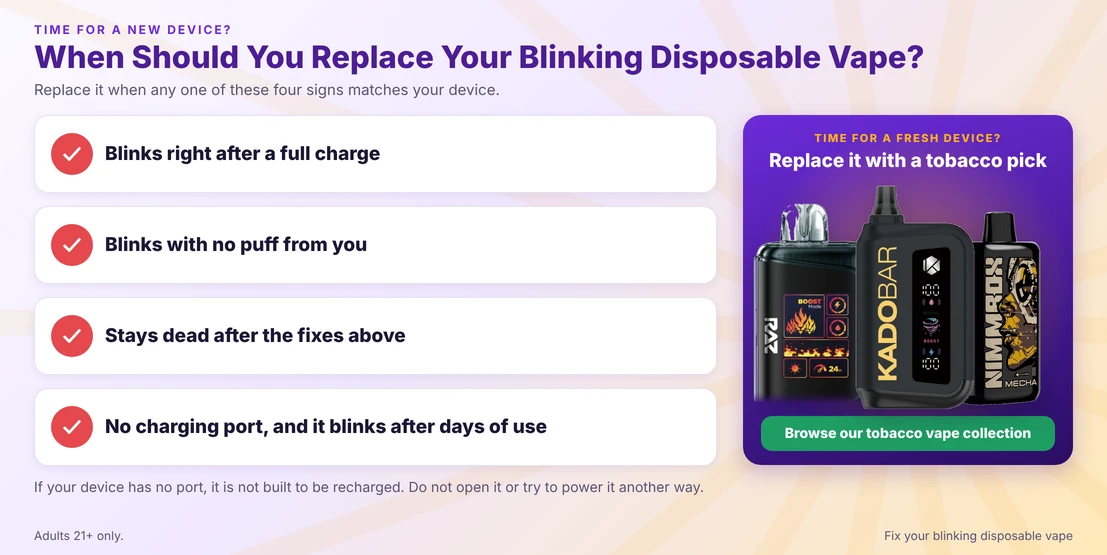
Replace your disposable when it blinks right after a full charge, blinks with no puff from you, stays dead after the fixes above, or has no charging port and blinks after days of use. A blinking device that fails these checks has a spent battery or a fault that you cannot repair.
Are you ready for a fresh device? Browse our tobacco vape collection, or compare every rechargeable disposable vape we carry if you want to top up your battery instead of replacing it. Our nicotine-free vape collection is also one click away if you want zero-nicotine flavors. If you prefer to fill your own device, choose vape juice, and browse our nicotine gum collection for another nicotine option.
What Else Do You Want to Know About a Blinking Disposable Vape?
Below are your direct answers to the questions we hear most about a blinking disposable vape. Every answer opens with the shortest possible reply, and the detail you need follows right after it.
Why Is My Disposable Vape Blinking?
Your disposable vape is blinking because it is warning you about a fault, most often a drained battery. A long puff, a stuck airflow sensor, a dry coil, or a poor connection can also trigger it in your device. Count your blinks, then use our fixes above.
Why Is My Disposable Vape Light Blinking?
Your disposable vape light blinks when your device detects low power, a puff that ran too long, or a fault it will not fire through. If your light blinks while charging, that is usually your charging indicator. Check whether it blinks during a puff or at rest to narrow down the cause.
Why Is My Disposable Vape Blinking 10 Times?
Ten rapid blinks usually mean your battery is spent or your device has a connection or circuit fault. Charge it if it has a port and wait for your light to change. If it still blinks 10 times, clear your air intake, and replace the device if the blinking continues.
Why Is My Disposable Vape Blinking 3 Times?
Three blinks on your device most often mean a low battery. Charge your device if it has a port, or replace it if it does not. If you get three blinks mid-puff, your draw likely ran too long, so rest it for a minute and take shorter puffs.
Why Is My Ghost Disposable Vape Blinking?
Your Ghost disposable vape blinks for a low battery, a long puff, a sensor fault, or a connection issue. We cannot confirm one universal Ghost blink code, so check the packaging for your model. Charge it if it has a port, take shorter puffs, and clear your air intake.
Why Is the Light on My Disposable Vape Blinking?
The light on your disposable vape blinks to signal its status or a fault. Blinking during a puff usually means your draw ran too long, while repeated blinks at rest point to a low battery or a stuck sensor. Match your pattern to the table above.
Can You Fix a Blinking Disposable Vape?
Yes, you sometimes can. If your blinking comes from a puff-time cutoff, a low battery on a rechargeable model, or a blocked air intake, you can usually fix it in minutes. If your battery is spent or your device has a short circuit, you will need to replace it.
Can You Recharge a Blinking Disposable Vape?
Only if your device has a charging port. Rechargeable disposables charge over USB-C, and your light turns off or changes color when full on many models. If your device has no port, do not try to charge or open it, because it is not built to be recharged.
Why Is My New Disposable Vape Blinking?
A new disposable blinks when your mouthpiece plug or air-hole sticker is still on, when your puff is too weak to trigger the sensor, or when your device arrived with a fault. Remove the plug and sticker, puff firmly, and contact your seller if it keeps blinking.
Why Does My Disposable Vape Blink When I Am Not Puffing?
A stuck airflow sensor is the usual cause in your device. Blow firmly through your air intake, tap your device gently against your palm, and turn it off and on if it has a switch. If your device keeps blinking, set it away from anything flammable, let your battery run down, and recycle it.
Where Can You Buy a Replacement Tobacco Disposable Vape?
You can buy a replacement tobacco disposable from Betty Vape, an authorized reseller, in our tobacco vape collection. You must be 21 or older, and you will confirm your age at checkout before your order ships.
Ready to Fix or Replace Your Blinking Disposable Vape?
Your blinking light is almost always a message you can read: charge it, slow your puffs, clear your airflow, or replace it. Your best first step is to count your blinks, match them to the tables above, and try the simplest fix first.
Ready to choose your next device? Browse our tobacco vape collection, start with the Tobacco RAZ LTX DC25000 or the Tobacco Nimmbox MECHA 50K, or compare more rechargeable disposable vapes. Want more flavors in your favorite style? Our mint vape collection gives you plenty to compare.
Are you shopping beyond tobacco? Your next stop could be our full disposable vape lineup, our American made vapes, or our nicotine free vapes if you want a zero-nicotine option.
Nicotine is an addictive chemical. These products are intended for adults of legal age only, 21+
Still not sure why your device is blinking? Visit our blog section, email us at support@bettyvape.com, or call (423) 819-6480. Our support team will help you get back to your next puff.