
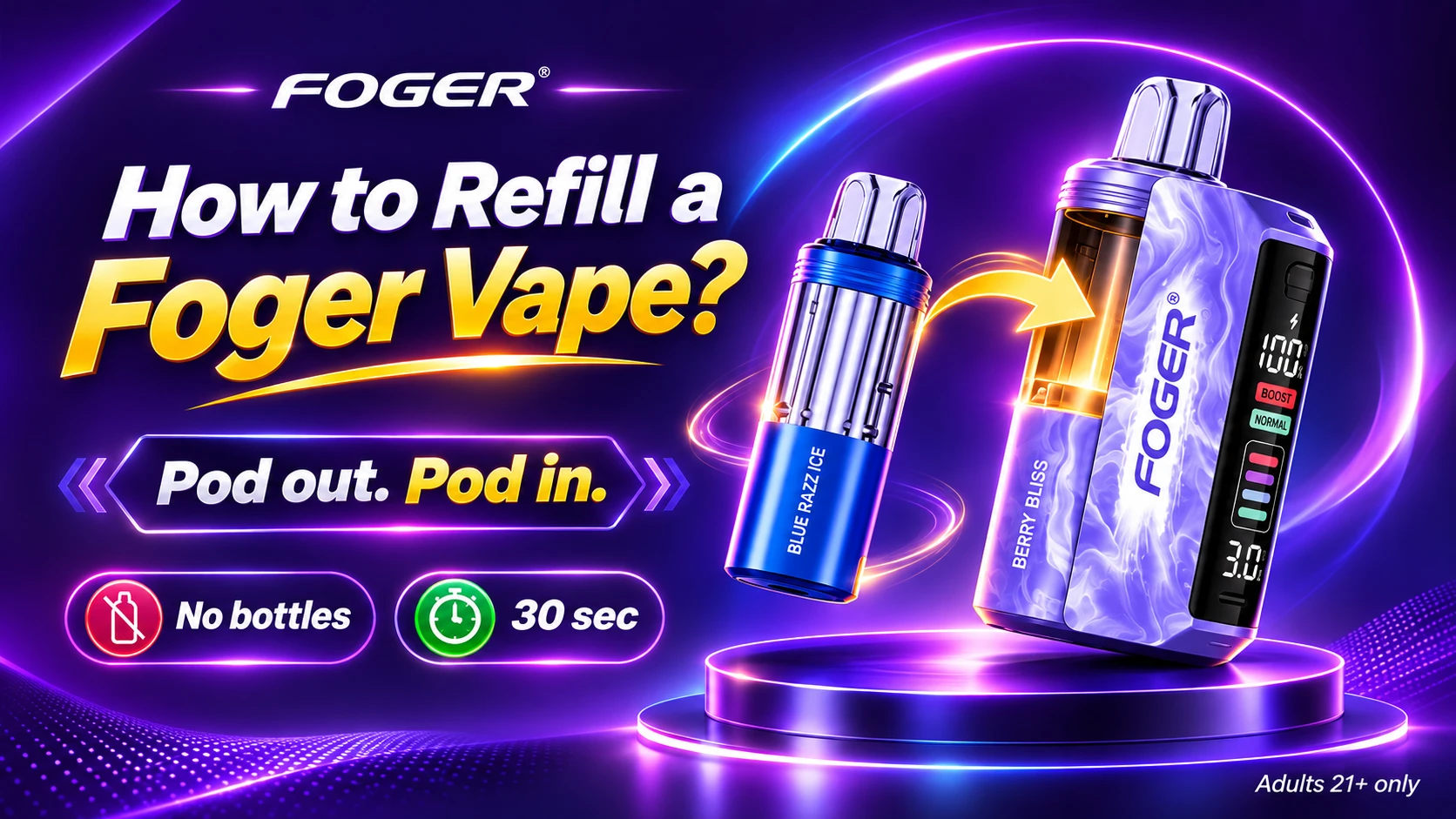
Your Foger session should never stop because a pod ran dry, and a swap usually takes about 30 seconds. If you are searching for how to refill a Foger vape, our guide shows you what a Foger refill really means, how to swap your pod step by step, and what to check if your new pod will not fire. Ready to restock? Browse our Foger Switch Pro pods collection.
Here is the key point up front: your Foger pod is sealed and pre-filled, so you replace it instead of filling it with bottled e-liquid. Below, you will learn which Foger devices use swappable pods, how to charge your dock, how to stretch each pod, and when a rechargeable disposable vape makes more sense for you.
How to Refill a Foger Vape?
Your Quick Answer
You refill a Foger Switch Pro by replacing the empty pod, not by adding e-liquid. Pull your used pod off the magnetic power bank dock, click a fresh pre-filled pod on, and draw to start. Your pod is sealed with no fill port, so never open it.
Using a Foger Bit 35K instead? Your Bit is a sealed all-in-one device that you recharge over USB-C, so you replace the whole device when it runs out. Keep your dock charged, match each pod to your model, and store your pods upright.
Explore Our Categories
Can You Refill a Foger Vape With Your Own E-Liquid?
No, you cannot refill your Foger vape with bottled e-liquid. Foger pods are factory-sealed and pre-filled with no fill port, and your Foger Bit 35K is a sealed all-in-one device. Opening either one can cause leaks and damage your dock, so replace your pod instead of filling it.
Foger calls its replacement pod a refill pod, which is why you see "Foger vape refill" in so many searches. Your refill is a new pod, not a bottle. Your Switch Pro pod arrives filled with 19 mL of nicotine salt e-liquid at 5% (50 mg), and its manufacturer rating is up to 30,000 puffs in Normal mode, dropping to about 18,000 in Boost mode.
Those puff ratings come from the manufacturer, so your real numbers will vary with your puff length and your mode.
Which Foger Vapes Can You Refill With a New Pod?
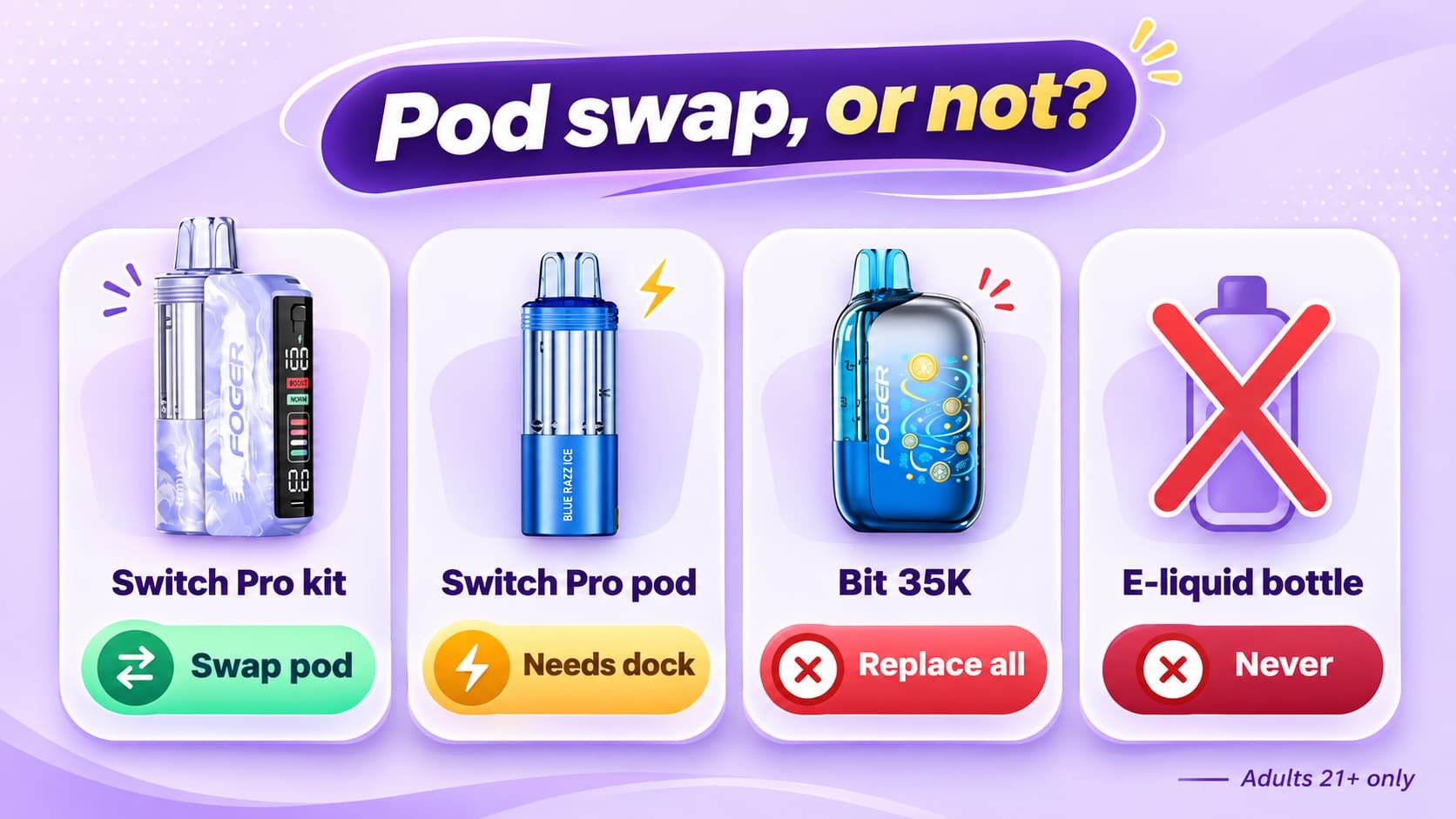
Only your Foger Switch Pro uses swappable pods. Your pod clicks onto a reusable, rechargeable power bank dock, so you keep your dock and replace the pod. Your Foger Bit 35K has no removable pod, so you replace the entire device when it runs out.
Check the table below for the row that matches your Foger, and your refill method is right there.
| Your Foger Device | Can You Swap the Pod? | What You Replace |
|---|---|---|
| Foger Switch Pro kit (dock plus pod) | Yes | Your pod. Keep your dock and reuse it. |
| Foger Switch Pro pod (sold alone) | Pod only | Nothing yet. Your pod needs a Switch Pro dock to run. |
| Foger Bit 35K | No | Your whole device, because your battery and e-liquid are sealed together. |
| Bottled e-liquid in any Foger | No | Never add it. Your pod and device have no fill port. |
If you do not own a dock yet, our Foger Switch Pro kits collection gives you a dock and a pod together. If you already own pods, our Foger Switch Pro Battery gives you a spare or replacement dock. Prefer an all-in-one device? Browse our Foger Bit 35K collection.
How Do You Swap a Foger Switch Pro Pod Step by Step?
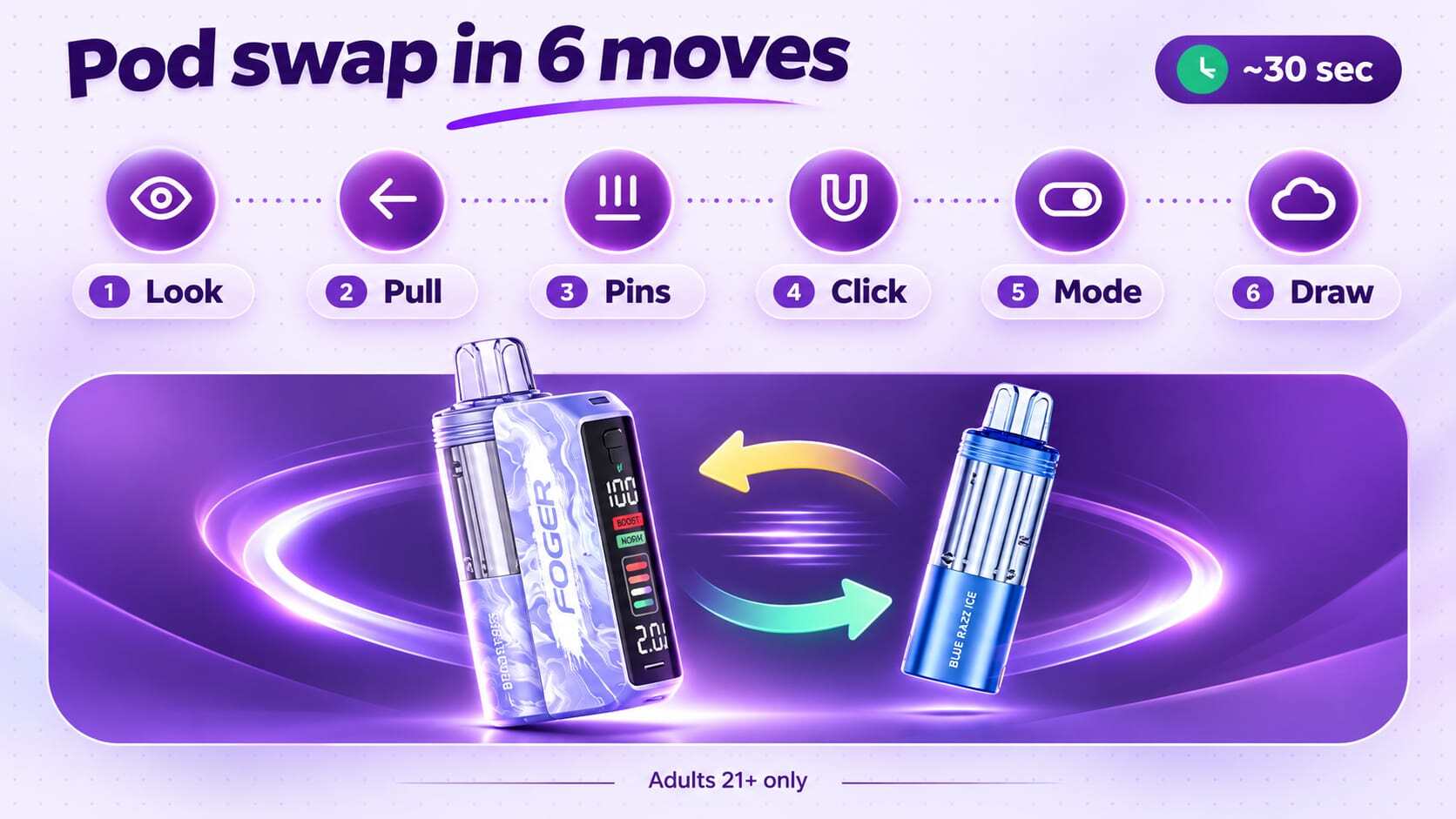
Pull your empty pod off the dock with a gentle tug, click a new pod on, then check your screen and draw. The magnets line up your pod automatically, so you never twist or pry it. Your swap usually takes about 30 seconds.
Follow these steps each time your pod runs out:
- Confirm your pod is empty by checking your display or noticing weak flavor.
- Pull your used pod straight off your dock with a gentle tug. Do not twist or pry it.
- Unbox your new pod and check that the three metal pins on its base are clean and dry.
- Click your new pod onto your dock and let the magnets align it for you.
- Check your screen, which shows your battery and e-liquid levels, then pick Normal or Boost mode with your mode button.
- Draw to start, and take your used pod to a battery or electronics drop-off in your area.
Starting fresh? Our Coffee Foger Switch Pro 30K Vape Kit and Berry Bliss Foger Switch Pro 30K Vape Kit each bring a dock and a pod, and the Blue Razz Ice Foger Switch Pro 30K Disposable Pod is ready for your next swap if you already own a dock.
How Do You Know When Your Foger Pod Is Empty?
Your Foger pod is empty when your display shows a low e-liquid level or your flavor turns weak and your clouds thin out. A burnt taste means your coil is running dry, so stop puffing and swap in a new pod right away.
Your display gives you the quickest answer, so look at it before you leave the house. Boost mode also drains your pod faster than Normal mode, which is why a pod can feel finished sooner when you vape in Boost.
How Do You Charge Your Foger Vape After a Pod Swap?
Charge your Foger Switch Pro dock through its USB-C port with a standard USB charger. Your charging cable is not included, so keep one handy. Keep an eye on your dock while it charges, and unplug it right away if it gets warm.
Plan on roughly an hour or two for a full charge, and follow the instructions in your box if they list a different time for your model. Choose a basic USB charger over a phone fast charger, since fast chargers can wear down your battery over time. Your Bit 35K also recharges over USB-C, with a battery built into the device.
Why Is Your New Foger Pod Not Working?
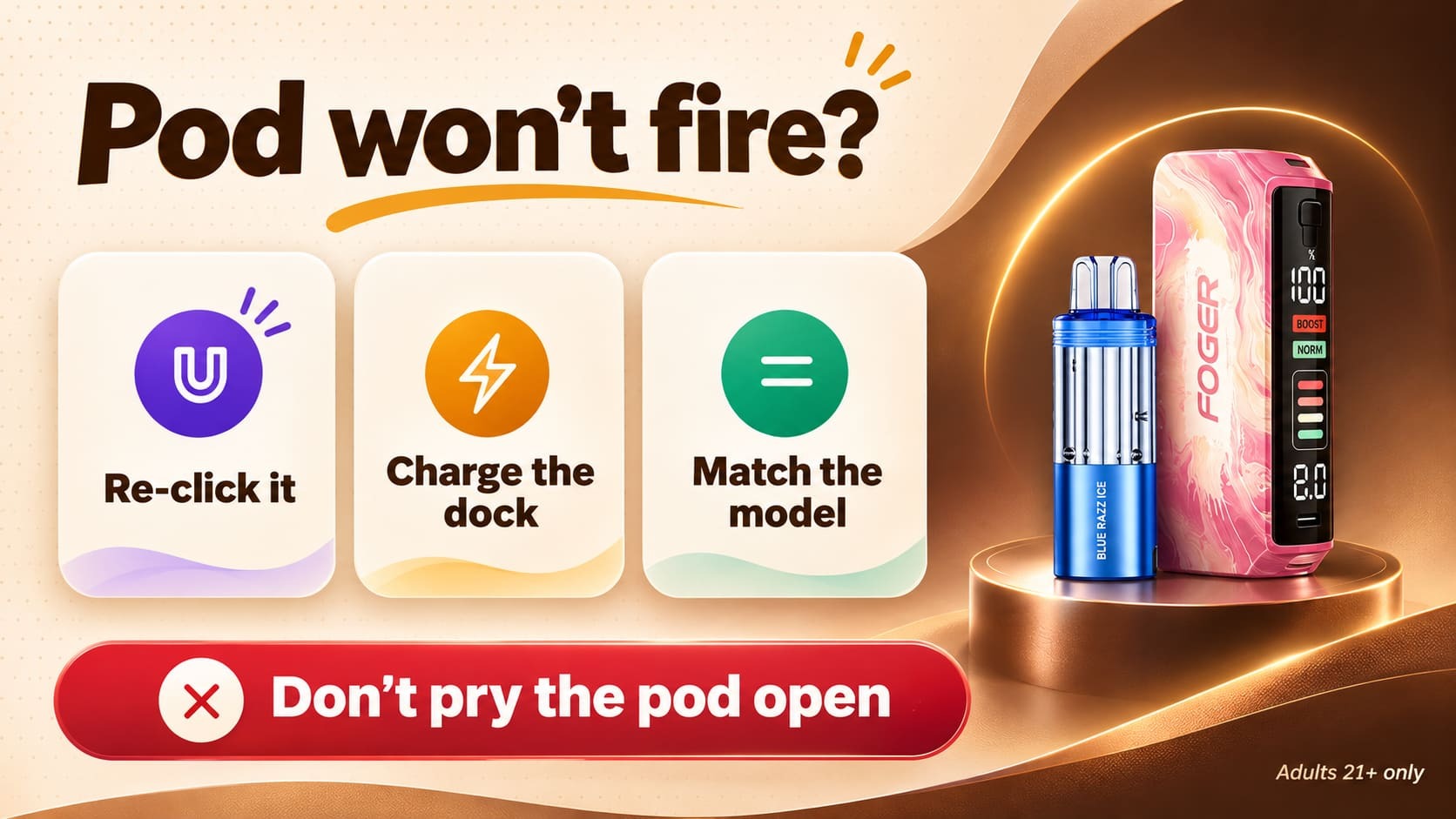
Your new Foger pod usually fails to fire because it is not fully seated, your dock needs a charge, or the pod does not match your device. Re-seat your pod, charge your dock, and confirm your pod fits your Switch Pro. If it still will not fire, contact your seller.
| Your Problem | Likely Cause | Your Fix |
|---|---|---|
| No vapor after your swap | Your pod is not fully seated | Pull it off and click it on again until the magnets seat it. |
| Dim or blank display | Your dock battery is low | Charge your dock with a USB-C cable. |
| Pod will not attach | Your pod does not match your dock | Match your pod to your Foger Switch Pro dock. |
| Gurgling or wet pins | Your pod sat on its side | Wipe the pins with a dry cloth, keep your pod upright, and take gentle puffs. |
| Burnt taste | Your pod is nearly empty | Stop puffing and swap in a new pod. |
Never open your pod or adjust the wires inside to fix a problem. Your pod holds a lithium battery, and opening it can leak into your dock and cause damage. If your new pod still will not work, keep your packaging and contact your seller.
How Can You Make Your Foger Pods Last Longer?
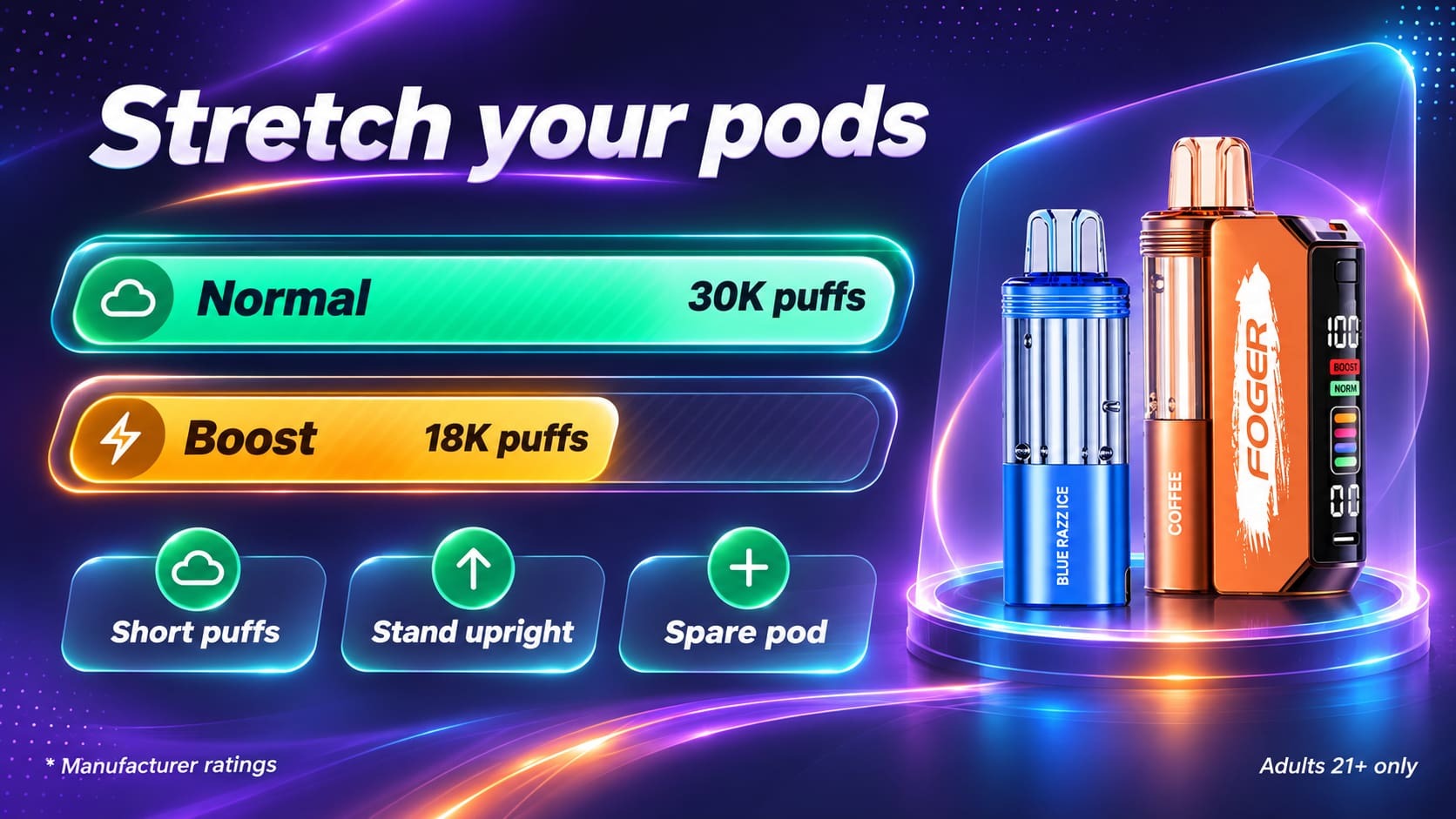
Use Normal mode for most sessions, take short puffs, and store your pods upright in a cool, dry place. Normal mode is rated for up to 30,000 puffs per pod versus about 18,000 in Boost mode, so your mode choice changes your pod life more than any other habit.
A few daily habits help you stretch each pod:
- Save Boost for special moments. Your pod drains faster in Boost mode.
- Keep your puffs short. Long draws use more of your e-liquid and battery.
- Store your pods upright. A cool, dry spot keeps your pod from leaking into your dock.
- Keep your dock charged. A low dock can make your new pod seem faulty.
- Keep a spare pod nearby. A backup pod means your session never stops.
Which Foger Pod or Kit Should You Choose?
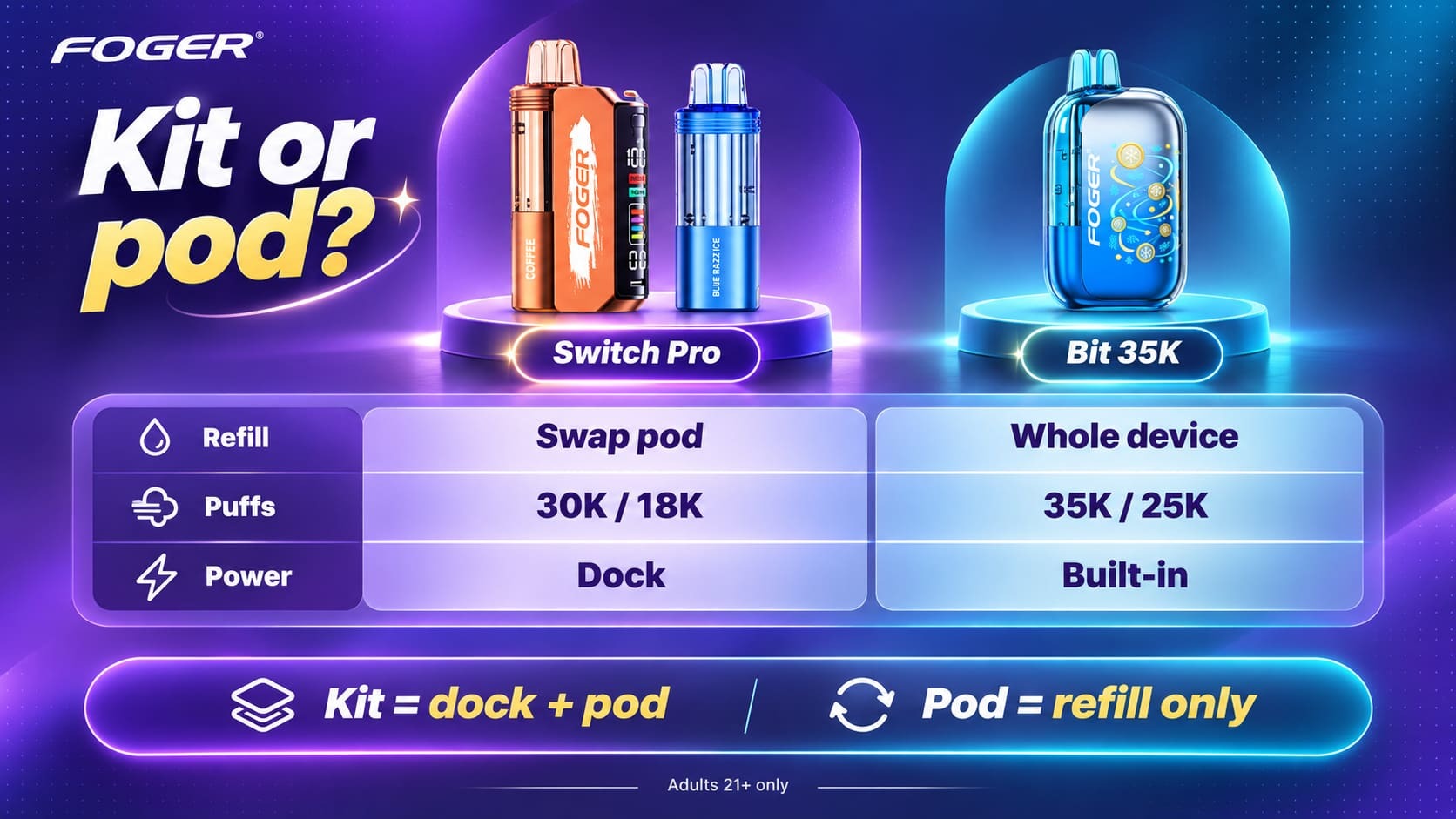
Choose a Foger Switch Pro kit if you do not own a dock yet, and choose a pod if you already do. Your pod needs a Switch Pro dock to run, so a kit gives you everything in one order. Our collections let you pick your flavor either way.
Here is how your two Foger styles compare, using the numbers printed on our product pages.
| Your Spec | Foger Switch Pro | Foger Bit 35K |
|---|---|---|
| Your refill method | Swap in a new pod | Replace the whole device |
| Your puff rating | Up to 30,000 Normal, 18,000 Boost | Up to 35,000 Normal, 25,000 Boost |
| Your nicotine strength | 5% (50 mg) | 5% |
| Your charging | USB-C on your dock | USB-C, 850 mAh built-in battery |
Ready to shop? Start with our Foger Switch Pro lineup for pods, kits, and docks, or try the Blue Razz Ice Foger Bit 35K Vape if you want a sealed all-in-one device.
What Are Your Options If You Want a Truly Refillable Vape?
If you want to fill your own device, pick a refillable system and a bottle of vape juice instead of a Foger pod. Your Foger Switch Pro and Bit 35K are built for pod swaps and full replacement, so neither one takes bottled e-liquid.
Browse our vape juice collection when you want to fill your own device. Keep a spare vape battery and fresh vape pods nearby for your pod systems, and compare every disposable vape we carry if you would rather skip refills altogether.
What Else Do You Want to Know About Refilling a Foger Vape?
These are your fast answers on refilling a Foger vape, with the shortest reply first and your details right after.
Can You Refill a Foger Vape?
Yes, but only by swapping in a new pod. Your Foger Switch Pro takes a replacement pod, while your Foger Bit 35K has no pod to swap and is replaced as a whole device. Neither one takes bottled e-liquid, so never open your pod or device.
Can You Refill a Foger Vape With Juice?
No. Your Foger pod is sealed with no fill port, and opening it can leak into your dock and damage your battery. Buy a new pod instead, or choose a refillable system and vape juice if you want to fill your own device.
How Do You Refill a Foger Switch Pro?
Pull your empty pod off your dock, click a new pod on, and draw to start. The magnets align your pod for you, so you never twist or pry it, and your swap takes about 30 seconds. Then check your display for your battery and e-liquid levels.
What Is a Foger Refill Pod?
A Foger refill pod is a sealed, pre-filled replacement pod for your Foger Switch Pro dock. Your pod arrives with 19 mL of 5% (50 mg) nicotine salt e-liquid, a built-in dual mesh coil, and a 200 mAh battery, and it is rated for up to 30,000 puffs in Normal mode.
Can You Refill a Foger Bit 35K?
No. Your Foger Bit 35K is a rechargeable disposable, so you recharge it over USB-C but you cannot refill it or swap a pod. When it runs out, replace the whole device.
How Long Does a Foger Pod Last?
Expect up to 30,000 puffs from your Foger Switch Pro pod in Normal mode, or about 18,000 in Boost mode. Your real pod life depends on your puff length, your mode, and how often you vape, so expect Boost mode to empty your pod sooner.
Do Foger Pods Work Without the Dock?
No. Your Foger Switch Pro pod needs a Switch Pro dock to power it, so buy a kit if it is your first time. If you already own pods, our Foger Switch Pro Battery gives you a spare dock.
Can You Use Other Brands' Pods on Your Foger Dock?
Stick with Foger Switch Pro pods for your Switch Pro dock. Foger says its magnetic connection and contacts are model-specific, so match your pod to your device, and Foger warns that off-brand pods can cause leaks or connection faults.
How Do You Charge a Foger Vape?
Plug your dock into a USB-C cable and a standard USB charger, then wait for your display to show a full charge. Your cable is not included, so bring your own, and stay nearby while your dock charges.
How Do You Know When Your Foger Pod Is Empty?
Your display shows a low e-liquid level, and your flavor turns weak with thinner clouds. A burnt taste means your coil is running dry, so stop puffing and swap in a new pod.
Why Is My Foger Pod Not Working After I Swapped It?
Re-seat your pod until the magnets click, then charge your dock. If your pod still will not fire, confirm it matches your Foger Switch Pro dock and contact your seller.
Where Can You Buy Foger Refill Pods?
You can buy Foger Switch Pro pods, kits, and docks from Betty Vape, a reseller of Foger products, in our Foger Switch Pro pod and kit collections. Your order requires you to be 21 or older, and our checkout verifies your age before anything ships.
Ready to Swap In Your Next Foger Pod?
Your Foger refill comes down to one habit: replace your pod, keep your dock charged, and never open a sealed pod. Your best first step is to check your display, then swap in a fresh pod the moment your flavor fades.
Ready to restock? Browse our Foger Switch Pro pods collection, grab a dock with our Foger Switch Pro kit collection, or add a spare Foger Switch Pro Battery. Want a sealed all-in-one device instead? Our Foger Bit 35K collection is one click away.
Nicotine is an addictive chemical. These products are intended for adults of legal age only, 21+
Still not sure how to refill your Foger vape? Visit our blog section, email us at support@bettyvape.com, or call (423) 819-6480. Our support team will help you get back to your next puff.